AI Lab for University India — How to Launch One on Campus (A Dean's Checklist)
Published Wed Apr 29 2026 00:00:00 GMT+0000 (Coordinated Universal Time)
A practical, sober checklist for Deans and Vice-Chancellors planning an on-campus AI lab in India: space, hardware vs cloud, software stack, governance, faculty staffing, student access, and the pitfalls that quietly sink most lab projects.
AI curriculum · 2026-04-18 · ~11 min read
Most campus AI labs that fail do not fail because of money. They fail because they were built as a hardware procurement, not as an academic programme — a glass room with expensive GPUs, a ribbon-cutting, and then a slow drift into being used by three faculty members and the chair's two MPhil students.
This is a checklist for Deans and Vice-Chancellors who would like to avoid that outcome. It is vendor-neutral, sequenced in roughly the order the decisions actually come up, and written from our experience helping institutions design Track E — Faculty & Research Enablement and the technical backbone for the Deep AI for CS track.
We assume you already have the institutional intent and a rough budget envelope. The question is what to actually do.
Read this checklist as a sequence, not a menu
The ten steps below are ordered. Each later step depends on a clear answer to the earlier one — staffing without a software stack is a salary drain, hardware without a use case is a depreciating asset.
01
Define what the lab is for
One page, in writing, before any vendor call.
02
Choose space
Modest, modular, near the departments that will use it.
03
Hardware vs cloud
Most campuses land on a hybrid; the trade-off is honest.
04
Software stack
Open-source where reasonable, one named owner per layer.
05
Governance
Steering committee, allocation policy, AUP — before opening.
06
Staffing
A full-time lab manager. Not a graduate assistant.
07
Student access
Tiered, published quotas. Predictable, not arbitrary.
08
Curriculum integration
Specific courses, semesters, assignments.
09
Year-3 plan
Budgeted refresh on the calendar before the lab opens.
10
Watch the pitfalls
Each is preventable in planning, costly to fix later.
Step 1 — Define what the lab is for, in writing
Before any vendor conversation, write down — in one page — what the lab is supposed to enable that the campus cannot do today.
Frame the four uses honestly
Useful frames to test against:
Teaching — which courses will use it, in which semesters, with what student counts?
Research — which faculty groups will use it, and for what kinds of work?
Industry / consulting — will it host sponsored projects, capstones, or external collaborations?
Outreach — will it be a venue for hackathons, summer schools, or partner workshops?
The honest answer for most campuses is all four, but with very different weights. A lab that is 70% teaching and 20% research has different design constraints from one that is 50% research and 30% sponsored projects. The hardware mix, scheduling system, and governance follow from this — not the other way around.
If you cannot fill out this one page, the lab is not ready to be procured.
Step 2 — Site the space modestly, near the people
The temptation is to build a showcase room. The better instinct is to build the smallest space that comfortably fits the teaching cohort plus a research bay, and to put it physically near the departments that will use it daily.
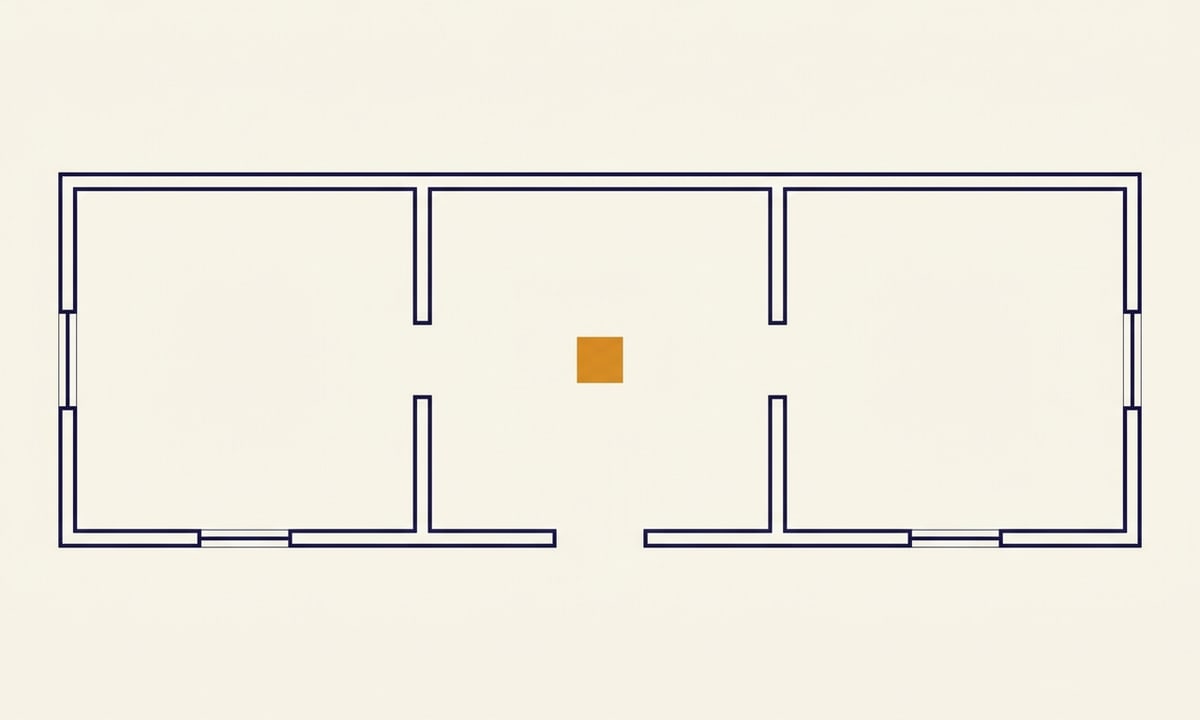
Plan the four zones the room actually needs
Practical defaults that have served institutions well:
Teaching bay — 30–40 student stations, with movable furniture for small-group work. Not auditorium-style.
Compute room — separate, climate-controlled, secured, with proper power and networking. Not adjacent to the teaching bay if noise from cooling is an issue.
Research bay — 8–12 stations for project work, with a shared display surface for whiteboarding.
Power & cooling — this is where most retrofits go wrong. Engage your facilities team before you sign a hardware quote. A single 8-GPU server can draw 3–5 kW; a small cluster will exceed what most lab buildings were wired for.
Climate-controlled, secured, isolated from teaching noise.
Research bay
8–12 stations with shared whiteboarding surface.
Power & cooling
Engage facilities before signing any hardware quote.
Put it next door, not in the showcase building
A common mistake is to put the lab in a prestigious central building far from the CS, design, and management departments that will use it.
Proximity matters. Friction matters. A lab a 10-minute walk away will be used half as much as a lab next door.
Step 3 — Resolve the hardware vs cloud trade-off
This is the decision that absorbs the most energy and produces the most regret. The honest framing is that neither pure on-premise nor pure cloud is right for most Indian campuses — the question is the mix.
No multi-year ops team commitment yet — pay-per-use.
Land on a hybrid by default
Most Indian campuses we work with land on a hybrid: a modest on-prem cluster (often 2–8 GPUs in a single chassis or a small multi-node setup) for teaching baseline and steady-state research, plus a cloud allocation that scales for capstones, sponsored work, and the occasional ambitious project. This is also more honest with students — they should learn to work in both regimes, because both regimes exist in industry.
Avoid the three traps that recur
A few specific traps:
Over-procurement at launch. GPU lifecycles are short and prices are volatile. Buying for the peak demand you imagine in year 3 means paying for capacity that sits idle in year 1 and is obsolete by year 3.
Under-provisioned networking. A cluster with fast GPUs and a slow interconnect will bottleneck on data movement. This is especially true for distributed training. Talk to whoever sells you GPUs about the network in the same conversation.
Forgetting storage. Datasets are large, and student/research data accumulates. A lab without a coherent storage strategy ends up with files scattered across local SSDs, USB drives, and personal cloud accounts. This is also a governance problem (Step 5).
Buy the year-1 lab. Plan the year-3 refresh. Do not buy the year-3 lab today.
Step 4 — Specify the software stack with named owners
The software stack is more important than the hardware and gets less attention.
Default the six layers a teaching-and-research lab needs
A useful default stack for a teaching-and-research lab in 2026:
Container orchestration — Kubernetes (or a lighter scheduler like SLURM if research-dominant) so jobs are isolated and reproducible.
Notebook / IDE access — JupyterHub or a managed equivalent, with per-user environments. Avoid letting students run on a shared global Python install — that path leads to madness.
Model serving — vLLM, Triton, or similar for inference workloads. Useful for both research and the Track A systems modules where students learn to deploy.
Experiment tracking — Weights & Biases, MLflow, or an in-house equivalent. Without this, no research output is reproducible six months later.
Data layer — object storage (MinIO or cloud-native), a versioning layer for datasets, and clear policies on what may be stored where.
Identity and access — SSO tied to the institutional directory. Per-user quotas. Auditable access logs. This sounds bureaucratic; it is what separates a lab from a free-for-all.
The principle: open-source where reasonable, managed services where the operational burden is otherwise too high, and one named owner for each layer. A stack with no owners decays.
Step 5 — Build governance before the lab opens
This is where well-funded labs quietly die. Build the governance structures before the lab opens, not after the first incident.
Stand up the five governance pieces
A working governance pattern:
A faculty steering committee (3–5 members across departments) that approves capacity allocations, sets priorities, and reviews usage quarterly.
Allocation policy in writing: how much compute does a student get for a course, a capstone, a thesis? How much does a faculty research project get? How are exceptions granted?
Acceptable use policy covering data handling, model weights, third-party API usage, sponsor-data segregation, and what may be published.
Data and ethics review for projects involving human subjects, sensitive datasets, or external deployment. This dovetails with Track E which includes responsible-AI practice as a core competency.
Incident response — what happens when a student's training job consumes 80% of cluster capacity for three days. Who decides, who acts, and how is it communicated.
Calibrate weight, not absence
Governance should be light enough to not strangle the lab and heavy enough that disputes have a forum. Most labs err in one direction or the other.
Write the policies down before opening. Revisit them every semester. Do not write a policy in anger after the first dispute.
Step 6 — Staff the lab as if it matters
A lab needs operational staff. The pattern that works:
Technical lead / lab manager
Full-time, technical, paid as such. Owns the stack, on-call, procurement input.
Teaching assistants
One or two per course that uses the lab heavily. Setup, debugging, office hours.
Faculty director
Part of regular faculty load. Chairs the steering committee, academic face of the lab.
Hire the lab manager from day one
The single most common mistake is to assume a faculty member can run the lab in addition to a full teaching and research load. They cannot. The lab will degrade, slowly, and the faculty member will burn out.
Budget for the lab manager from day one, even if it means a smaller hardware spend.
For faculty development — the people who will actually teach with the lab — Track E is designed precisely for this gap: turning interested faculty across disciplines into capable users and teachers of AI tooling, without requiring them to retrain as ML engineers.
Step 7 — Tier student access with published quotas
Student access policy is a balance. Too restrictive (only CS final-year students with faculty sponsorship) and the lab becomes a closed shop, which defeats the purpose of running AI Literacy for All. Too open and the cluster is overwhelmed by hobby projects and the serious work cannot run.
Define the three tiers
A workable model:
Tier 1 (course-based) — any student enrolled in a course that uses the lab gets a default quota for the duration of the course.
Tier 2 (project-based) — capstones, thesis work, and faculty-sponsored projects get a larger quota on application.
Tier 3 (open access) — a smaller pool of compute, lottery- or queue-allocated, for student-initiated work outside coursework. This is where future researchers are discovered.
Publish the quotas. Publish the queue. Make access predictable, not arbitrary.
Step 8 — Integrate with the curriculum, not parallel to it
The most important integration question: which courses will require the lab, in which semester, with what assignments?
Anchor the lab in named modules
If the answer is vague, the lab will be a research facility used by ten people. If the answer is specific — "the Deep AI for CS systems module in semester 5 uses the cluster for the distributed training assignment; the AI for Design capstone uses it for fine-tuning runs; the AI for Management analytics module uses it for the sponsored project" — then the lab is a piece of academic infrastructure, used by the institution.
This is partly why we publish the Curriculum Library: so the assignments and assessments that should land on the lab are in writing, and the lab can be sized and staffed against them.
Step 9 — Plan the year-3 refresh before year-1 opens
Hardware refreshes. Software stacks change. Faculty leave. Sponsor priorities shift. A lab that is not budgeted for a year-3 review will, in year 3, be running on aging hardware with an outdated stack and low utilisation, and the institutional answer will be "we already spent the money."
Treat the lab as recurring, not capital
Set a year-3 review with the steering committee on the calendar before the lab opens. Reserve a portion of the original budget envelope for that refresh.
Treat the lab as a recurring institutional commitment, not a one-time capital project.
What you commit, what you get
The institutional bargain, set out plainly:
What you commit
Institutional inputs
A one-page statement of what the lab is for, signed off.
A full-time lab manager hire from day one.
A modest, modular space sited near user departments.
Power, cooling, and networking adequate to the cluster.
Governance policies (allocation, AUP, ethics, incident) before opening.
A budgeted year-3 refresh, on the calendar.
What you get
Institutional outputs
An academic facility used across courses, not a showcase room.
Reproducible research output with experiment tracking.
Predictable, tiered access for students at every level.
Capacity for sponsored projects and external collaboration.
A faculty body confident teaching with the lab — not avoiding it.
An institutional asset that survives faculty turnover.
Step 10 — Watch for the pitfalls that quietly sink labs
A short list of mistakes we have seen — none of them rare:
Procuring hardware before deciding what the lab is for.
Building the lab far from the departments that will use it.
Skipping the lab manager hire to free up capital budget.
No written allocation policy until the first dispute, then writing one in anger.
A "showcase" room nobody is allowed to use casually.
Treating Track A students as the only users; ignoring design, management, and Track D disciplines that have legitimate, growing demand.
Buying enterprise software the lab cannot operate or afford to renew.
No governance for sensitive or sponsor-restricted data, until an incident forces one.
Each of these is preventable in the planning phase and costly to fix afterwards.
A note on what we do here
Kompas AI School is an academic delivery partner, not an infrastructure vendor. We do not sell GPUs, racks, or cloud subscriptions, and we do not take referral fees from those who do. What we do is help institutions design the academic programme the lab is meant to serve — the tracks, the curriculum, the faculty enablement — and advise on the lab design that fits.